Staff Login
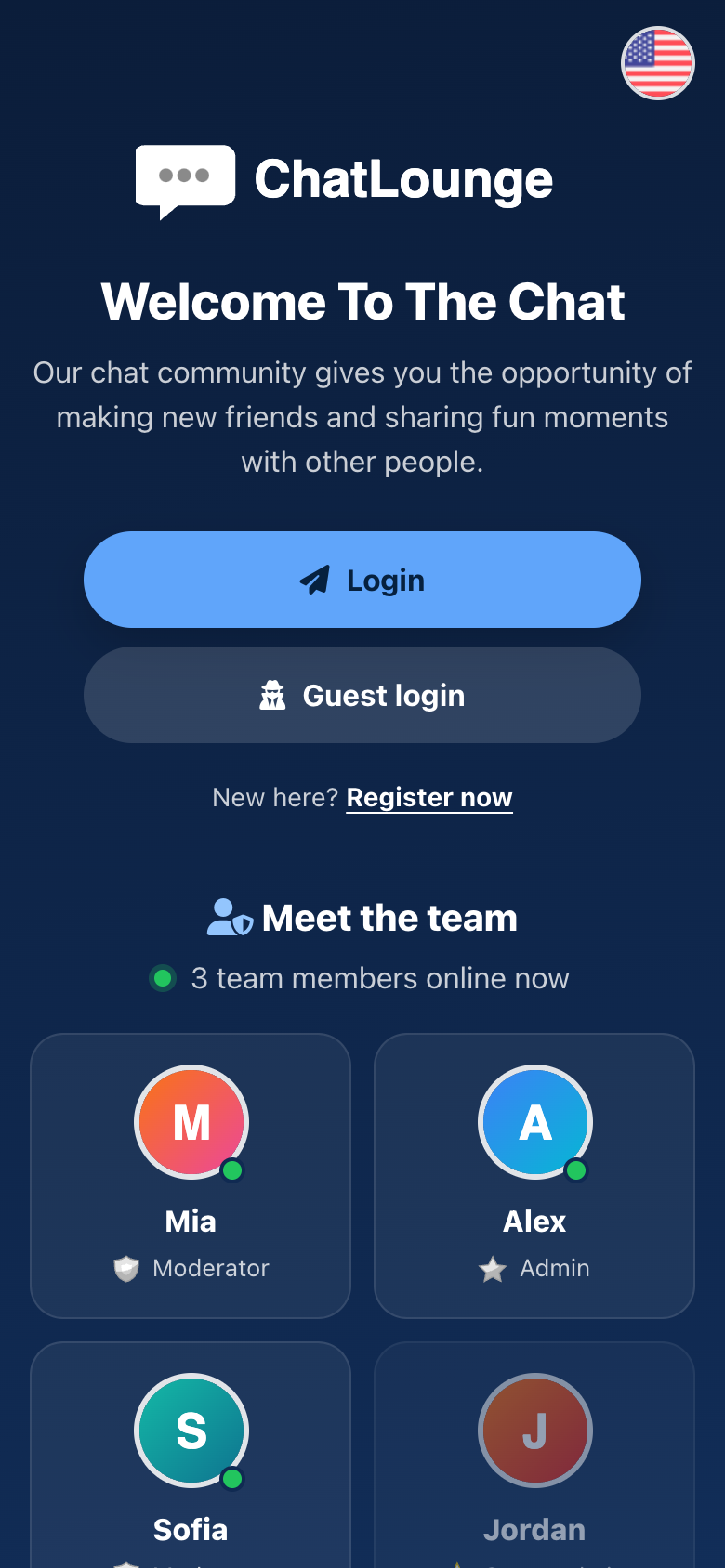
A trust-building login page that introduces your team: which moderators and admins are online right now, with their avatars and roles, so visitors know real people are…
$4.00
Buy now
Log in or create a free account to check out. You'll come straight back here.
- Instant access in your library right after payment
- License key included for your chat domain
- Free updates to download from your library
- Secure checkout on the payment provider's own page
About this product
A trust-building login page that introduces your team: which moderators and admins are online right now, with their avatars and roles, so visitors know real people are looking after the chat.
What it does:
- Your staff (moderator rank and above) with avatar, name and role.
- Online staff first with a live green dot, plus a "3 team members online now" line.
- Staff using invisible mode are shown as offline, so their privacy is respected.
- Offline staff can be hidden (show_offline = false).
Also included: works with any site theme (its own class names, so themes cannot repaint it), every text editable in config.php, mobile ready, keyboard accessible, reduced-motion friendly, and live numbers cached so bots and busy days do not load your database.
Install: upload the Staff folder to control/login/, then choose Staff as the login page in Admin > Settings. No database changes, no core files touched.
What it does:
- Your staff (moderator rank and above) with avatar, name and role.
- Online staff first with a live green dot, plus a "3 team members online now" line.
- Staff using invisible mode are shown as offline, so their privacy is respected.
- Offline staff can be hidden (show_offline = false).
Also included: works with any site theme (its own class names, so themes cannot repaint it), every text editable in config.php, mobile ready, keyboard accessible, reduced-motion friendly, and live numbers cached so bots and busy days do not load your database.
Install: upload the Staff folder to control/login/, then choose Staff as the login page in Admin > Settings. No database changes, no core files touched.
Requirements
- Codychat 11x